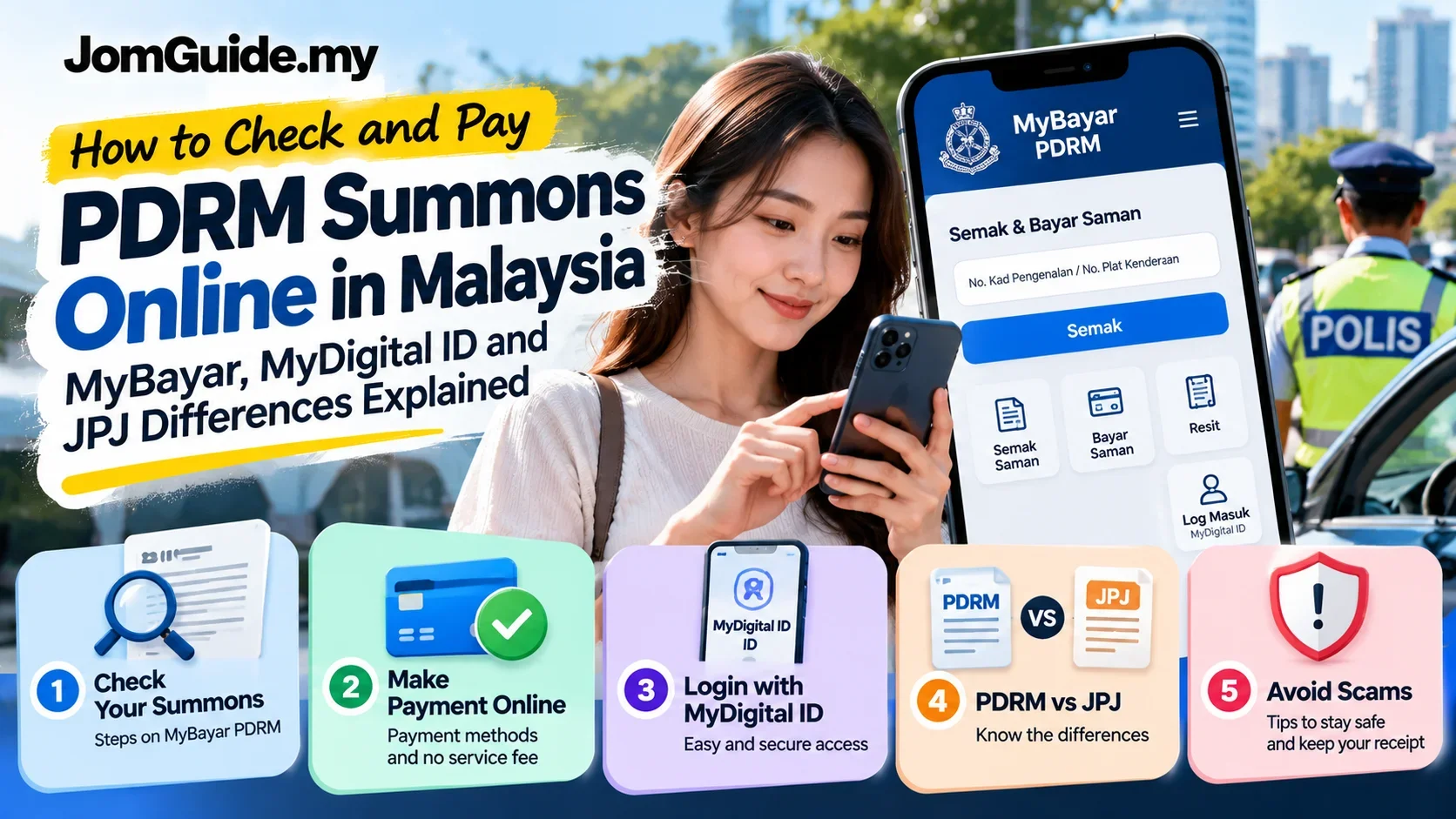
How to Check and Pay PDRM Summons Online: MyBayar, MyDigital ID and JPJ Differences
A first-time guide to checking and paying PDRM traffic summons in Malaysia via MyBayar: how to tell PDRM from JPJ, log in using MyDigital ID, keep receipts and avoid fake payment links.

Source: Sources: Official MyBayar PDRM portal and FAQ (2026 access); JPJ official Summons Payment Method page.
Received a traffic summons in Malaysia? Identify the issuing authority before paying anything. A PDRM (police) summons and a JPJ (Road Transport Department) summons do not necessarily appear in the same payment system. The official MyBayar PDRM portal is for checking and paying PDRM traffic summons, while JPJ provides its own channels.
This guide is for first-time users and anyone confused by MyDigital ID login, receipts or an unexpected SMS payment link.
Checked: 19 October 2026. Portal screens and available payment routes may change.
First: Is it a PDRM or JPJ saman?
| On your notice | Start here |
|---|---|
| PDRM / Polis Diraja Malaysia | MyBayar PDRM official site |
| JPJ / Jabatan Pengangkutan Jalan | JPJ's official payment guide and eligible JPJ services |
| Unsure or a suspicious link | Confirm with the issuing authority using an independently typed official address; don't pay via an SMS link |
PDRM and JPJ are separate agencies. Checking MyBayar and seeing nothing does not prove you have no JPJ summons. It also doesn't necessarily prove an alleged police summons is valid or invalid: verify the issuer and notice details.
The JPJ guide explains that some summonses can be compounded and paid through approved channels, while non-compoundable cases require court procedures. Do not assume every summons can be paid online.
For a related issue, see JomGuide's JPJ renewal channel guide only if it is relevant and the link is available.
Step-by-step: checking a PDRM summons on MyBayar
-
Type the official address yourself: mybayar.rmp.gov.my. Check the actual domain in your browser.
-
Select the relevant user type: the official portal displays choices such as Malaysian individual, company/agency and non-Malaysian individual.
-
Sign in through the currently offered route. On the MyDigital ID sign-in page, the portal displays a QR login: open your MyDigital ID app, choose Imbas QR / Scan QR, scan the displayed code and complete authentication in the app.
-
Find the summons section after login. Review the notice details and status using the current interface.
-
Check the issuer, identification and amount. If the record looks wrong, do not rush to pay. Use the official traffic branch or MyBayar help channel.
Portal menus may change and users may have different eligibility or account routes. This is a conceptual walkthrough, not a guarantee that every phone displays exactly the same buttons.
MyDigital ID login isn't working?
-
Check that you're on mybayar.rmp.gov.my and the QR has not expired; reload the official login page if necessary.
-
Open the official MyDigital ID app and follow its in-app authentication process rather than entering credentials into a message or unofficial website.
-
If you can't scan a desktop QR with the same device, follow the site's official mobile-browser/app flow shown in MyBayar's FAQ.
-
If you forgot the MyDigital ID password, use MyDigital ID's official recovery/re-registration guidance. Its credentials are not identical to a MyBayar account password.
-
If the website appears unavailable, try later or contact the official help desk. Avoid unofficial “agent login” services.
How to pay safely and save your receipt
Once you're viewing a valid payable PDRM summons, select the portal's offered payment option. According to its official FAQ, MyBayar supports FPX online banking and eligible Visa/Mastercard debit, credit or prepaid cards, subject to channel and bank conditions.
MyBayar states that it does not charge an additional service fee on top of the traffic summons amount. This doesn't mean a discount or special compound rate is always available.
After paying:
-
Check the portal's payment history and status.
-
Generate or save the receipt, including transaction reference, amount and date.
-
Retain any bank or FPX confirmation until the police record is updated.
-
The FAQ says the summons record is updated after successful payment and a receipt is sent to the registered email within 48 hours. If it doesn't arrive, use payment history rather than immediately paying twice.
Can you pay someone else's summons? MyBayar's individual FAQ says no. Use the appropriate official route for the actual owner or a company account, where applicable.
What if payment fails—or money is deducted twice?
First check the bank transaction, MyBayar payment history and any FPX/card reference. Do not immediately repeat the payment if your bank shows a debit but MyBayar shows an error.
The PDRM MyBayar FAQ says users can email mybayar@rmp.gov.my for payment issues. Keep your transaction ID or merchant order number, payment amount, date and receipts to support the enquiry; contact your bank as appropriate for an unsuccessful transaction with a debit.
If your summons number or vehicle details appear wrong, contact the traffic branch that issued it to have the matter checked. An error is not automatically cancelled just because a payment screen doesn't display a record.
Fake saman SMS or WhatsApp: warning signs
A message that says “Pay your saman now” and includes a link is not proof it came from PDRM. Common warning signs include an unfamiliar domain, shortened URLs, requests for banking passwords, urgent countdowns, or instructions to provide OTPs outside your bank's official process.
Safer routine: close the message, open the official website by typing the address yourself, and check the record there. Never send banking OTPs, MyDigital ID credentials or card details to an unverified caller or sender.
Frequently asked questions
Does MyBayar show JPJ summons too?
Don't assume it does. It is the PDRM portal. For JPJ-issued matters use the JPJ's own guidance.
Is checking a PDRM summons free?
The MyBayar portal says online checking and payment are available without an additional service charge. Any actual summons amount remains payable where applicable.
I've paid, but there's no email receipt. Should I pay again?
Not yet. Check payment history and your bank first. The FAQ says email receipts may arrive within 48 hours; contact the official support channel if the result is unclear.
Do I need MyDigital ID?
The current MyBayar portal offers a MyDigital ID sign-in flow. Use the method actually presented for your user category and follow the official instructions; avoid relying on outdated screenshots of previous login screens.
What if the notice is not compoundable?
Follow the issuing authority's official instructions, which may require court action rather than an ordinary online payment.
JomGuide's practical advice
The best order is identify the issuer → open the real official portal → check the record → pay only a verified, payable summons → keep the receipt. Most confusion happens when someone mixes up JPJ with PDRM or clicks a payment link before checking the source.
Official references: MyBayar PDRM · PDRM MyBayar FAQ · JPJ payment guide.
Useful? Forward it to someone who needs it.
Malaysian policy and hot topics, 2–3 items a week, each with a one-line “so what”.